How Risk3y works
From your first risk to AI-ready registers — here's how it all fits together.
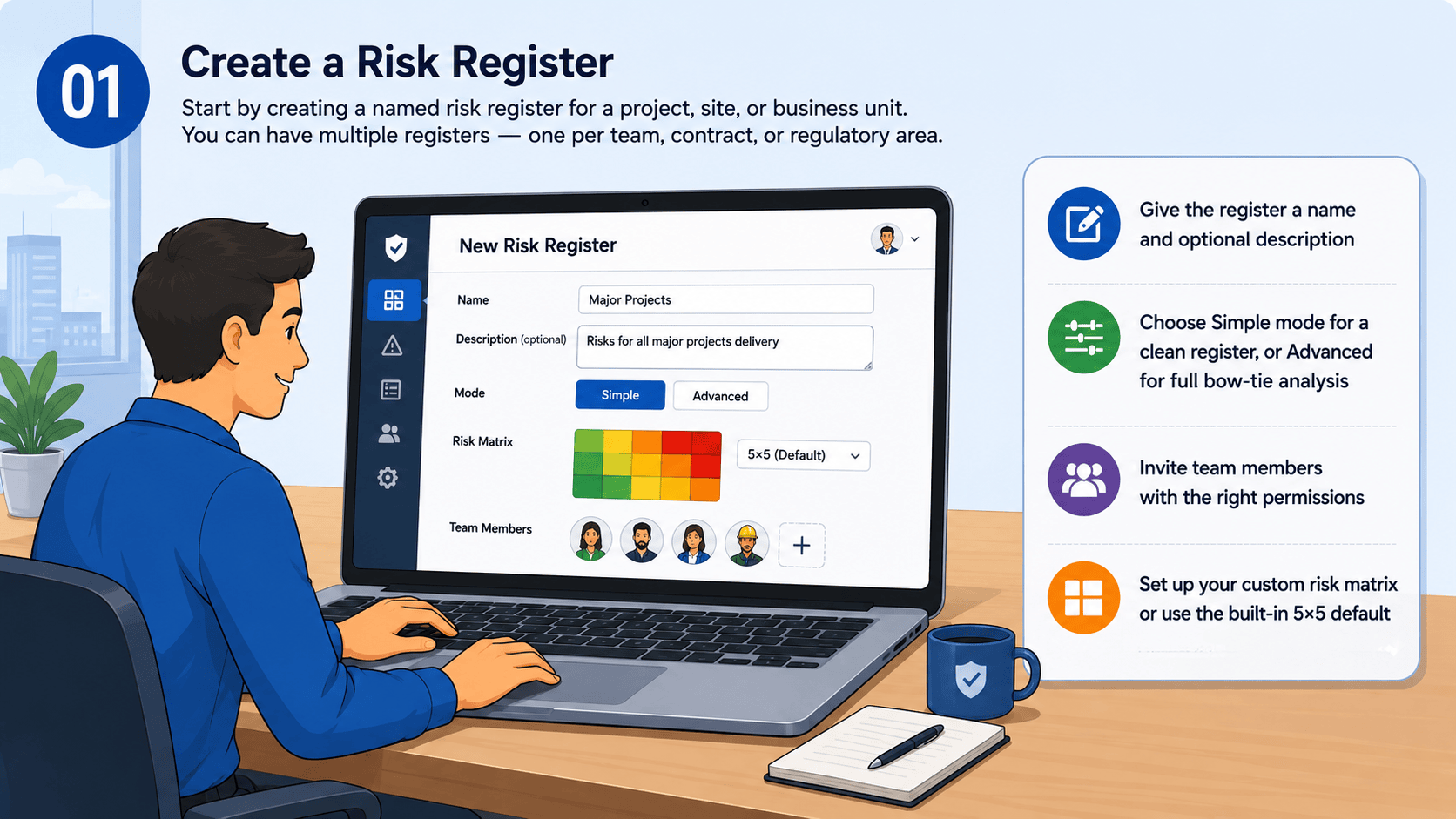
Create a Risk Register
Start by creating a named risk register for a project, site, or business unit. You can have multiple registers — one per team, contract, or regulatory area.
- Give the register a name and optional description
- Choose Simple mode for a clean register, or Advanced for full bow-tie analysis
- Invite team members with the right permissions
- Set up your custom risk matrix or use the built-in 5×5 default
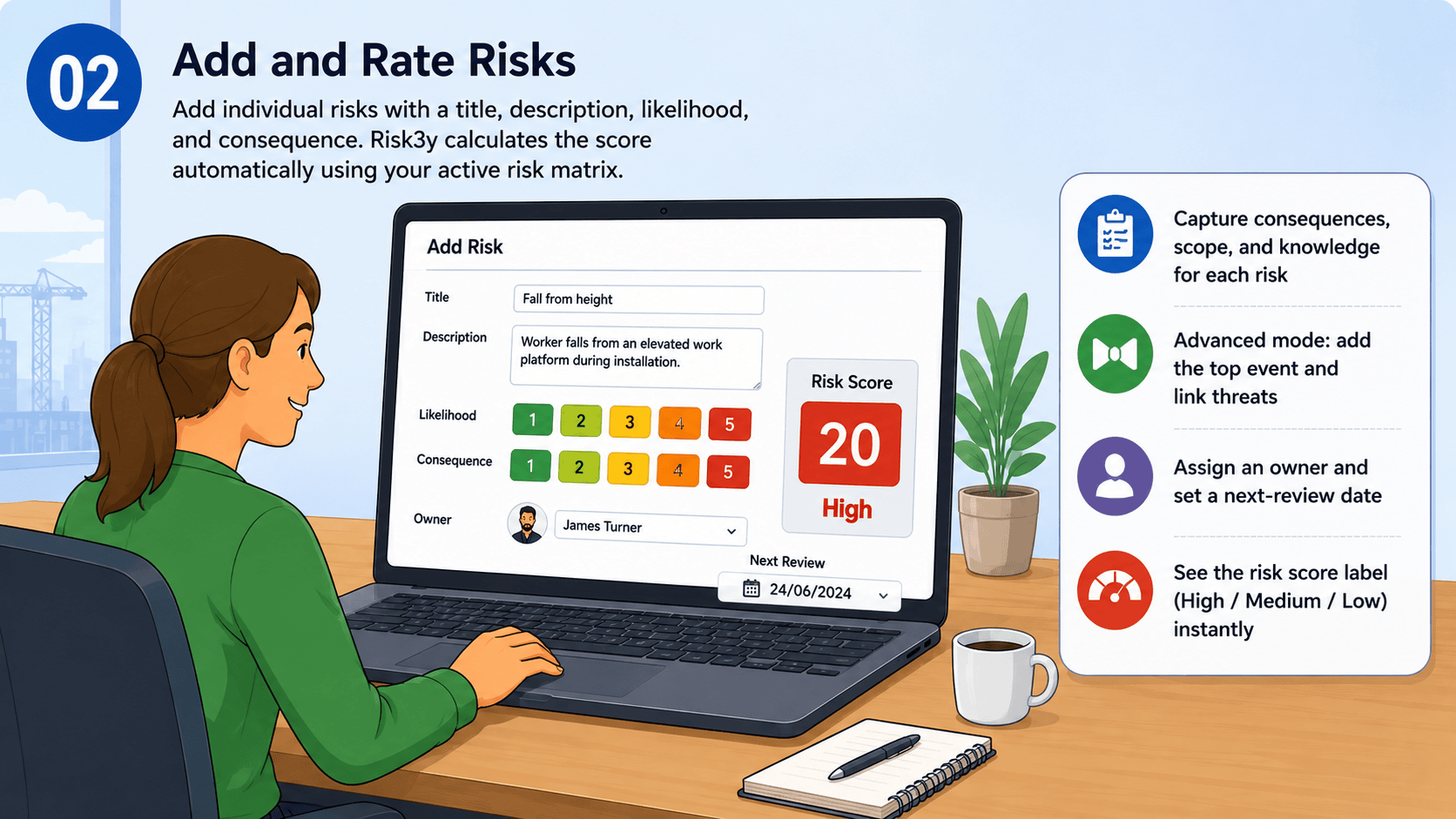
Add and Rate Risks
Add individual risks with a title, description, likelihood, and consequence. Risk3y calculates the score automatically using your active risk matrix.
- Capture consequences, scope, and knowledge for each risk
- Advanced mode: add the top event and link threats for full bow-tie analysis
- Assign an owner and set a next-review date
- See the risk score label (High / Medium / Low) instantly
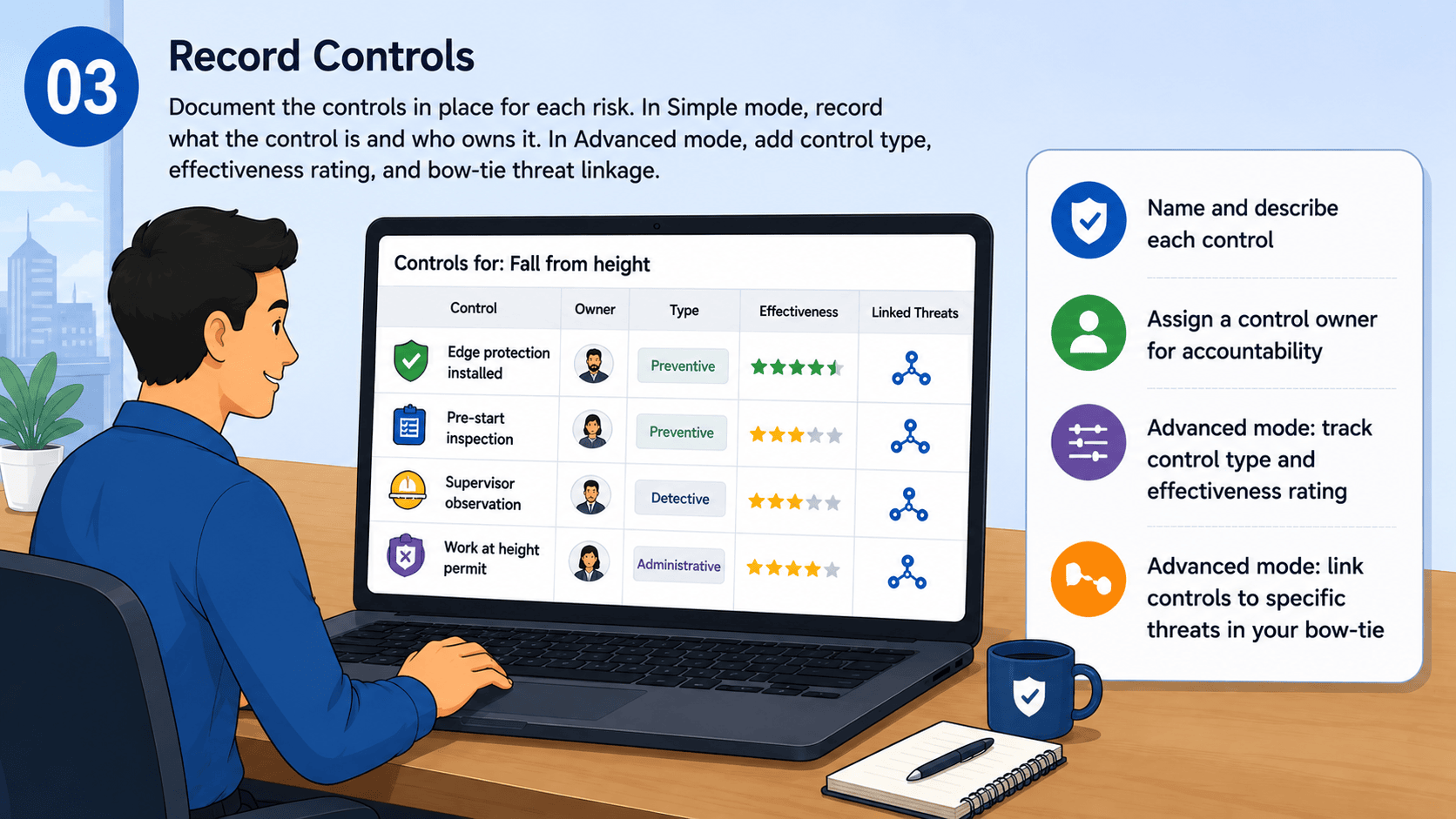
Record Controls
Document the controls in place for each risk. In Simple mode, record what the control is and who owns it. In Advanced mode, add control type, effectiveness rating, and bow-tie threat linkage.
- Name and describe each control
- Assign a control owner for accountability
- Advanced mode: track control type and effectiveness rating
- Advanced mode: link controls to specific threats in your bow-tie
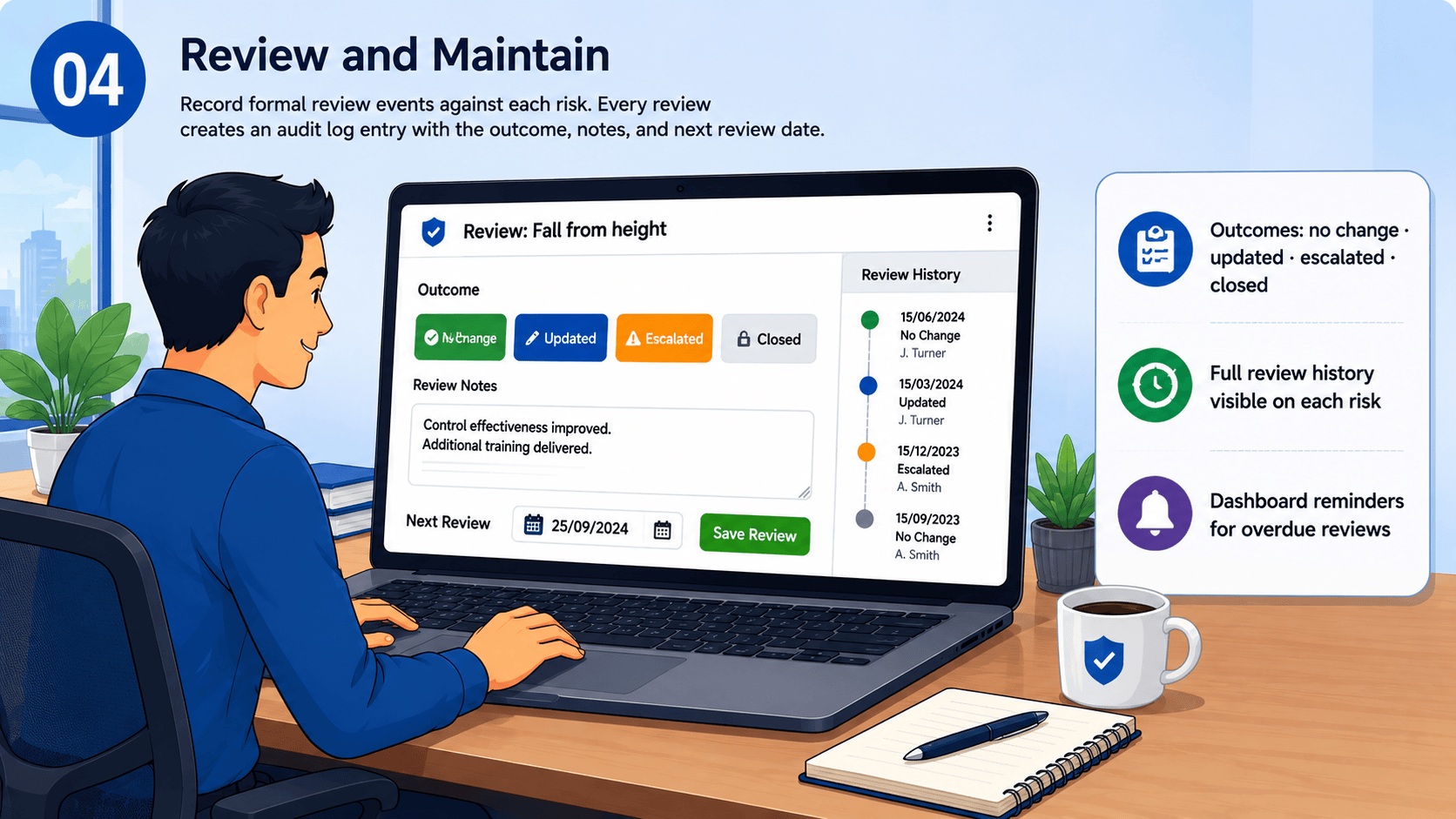
Review and Maintain
Record formal review events against each risk. Every review creates an audit log entry with the outcome, notes, and next review date.
- Outcomes: no change · updated · escalated · closed
- Full review history visible on each risk
- Dashboard reminders for overdue reviews
Share with Stakeholders
Generate a read-only share link for any register. Clients, auditors, and board members can view the register without needing an account.
- One click to generate a shareable link
- No login required for viewers
- Revoke access at any time
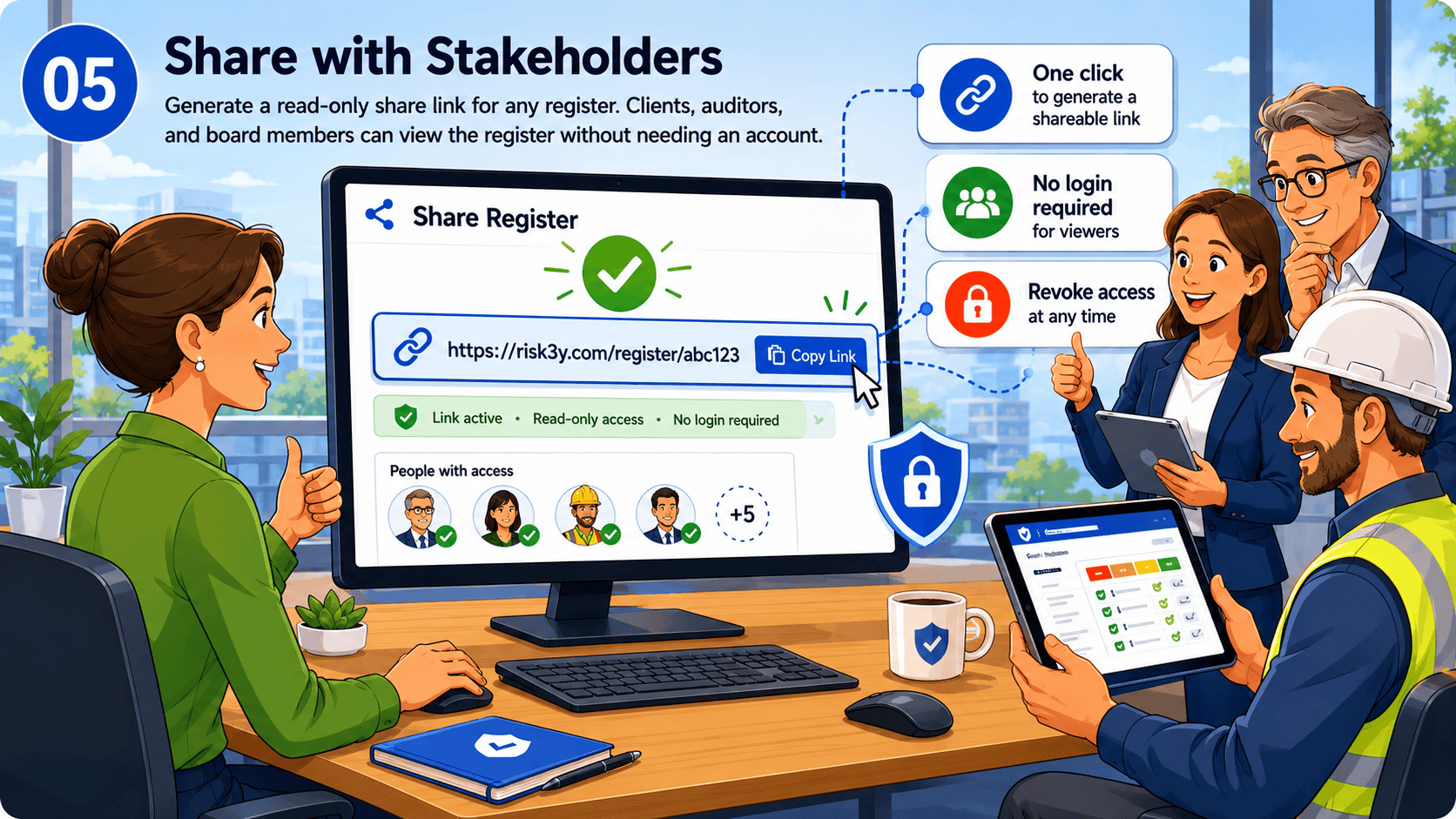
Connect Your AI Tools
Use the MCP integration to connect Claude, GPT, or any MCP-compatible AI tool directly to your risk registers. Admins can read and update risks, controls, and reviews — all through a scoped API key, fully under your control.
- Generate a secure MCP client token
- Point your AI tool at the Risk3y MCP server
- AI can read risks, controls, and reviews
- Admin tokens can also create and update — nothing outside your register
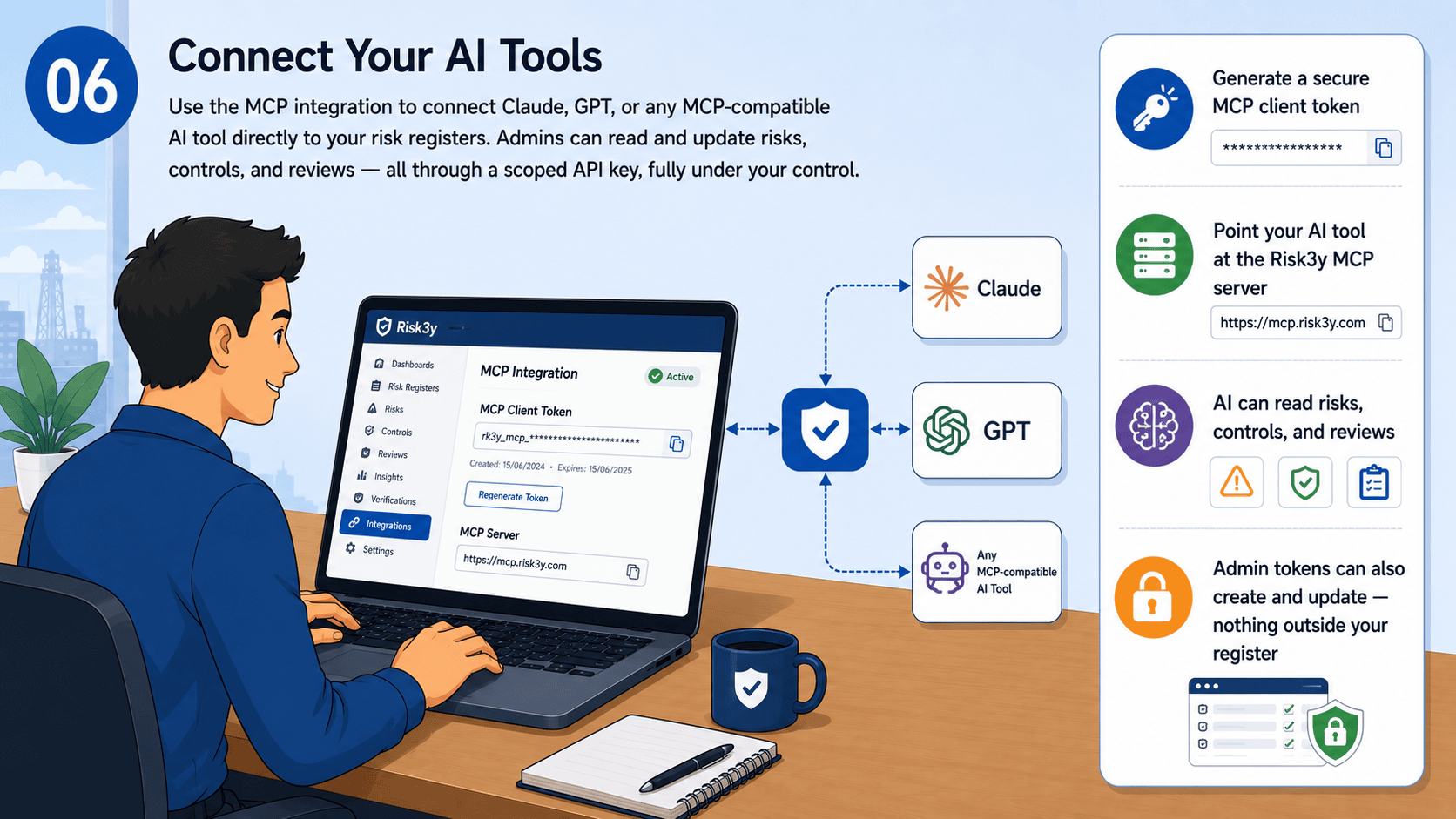
Query the HSE Prosecution Database
Your AI has direct access to a curated database of NZ and AU WorkSafe prosecutions — searchable by industry, offence type, keyword, or jurisdiction. Use it to benchmark your controls against real enforcement outcomes.
- Covers NZ WorkSafe and Australian state regulators (VIC, NSW, QLD, WA and more)
- Search by industry, offence category, defendant name, or free text
- Read full case summaries and judgement documents
- Compare your register controls against what courts found missing
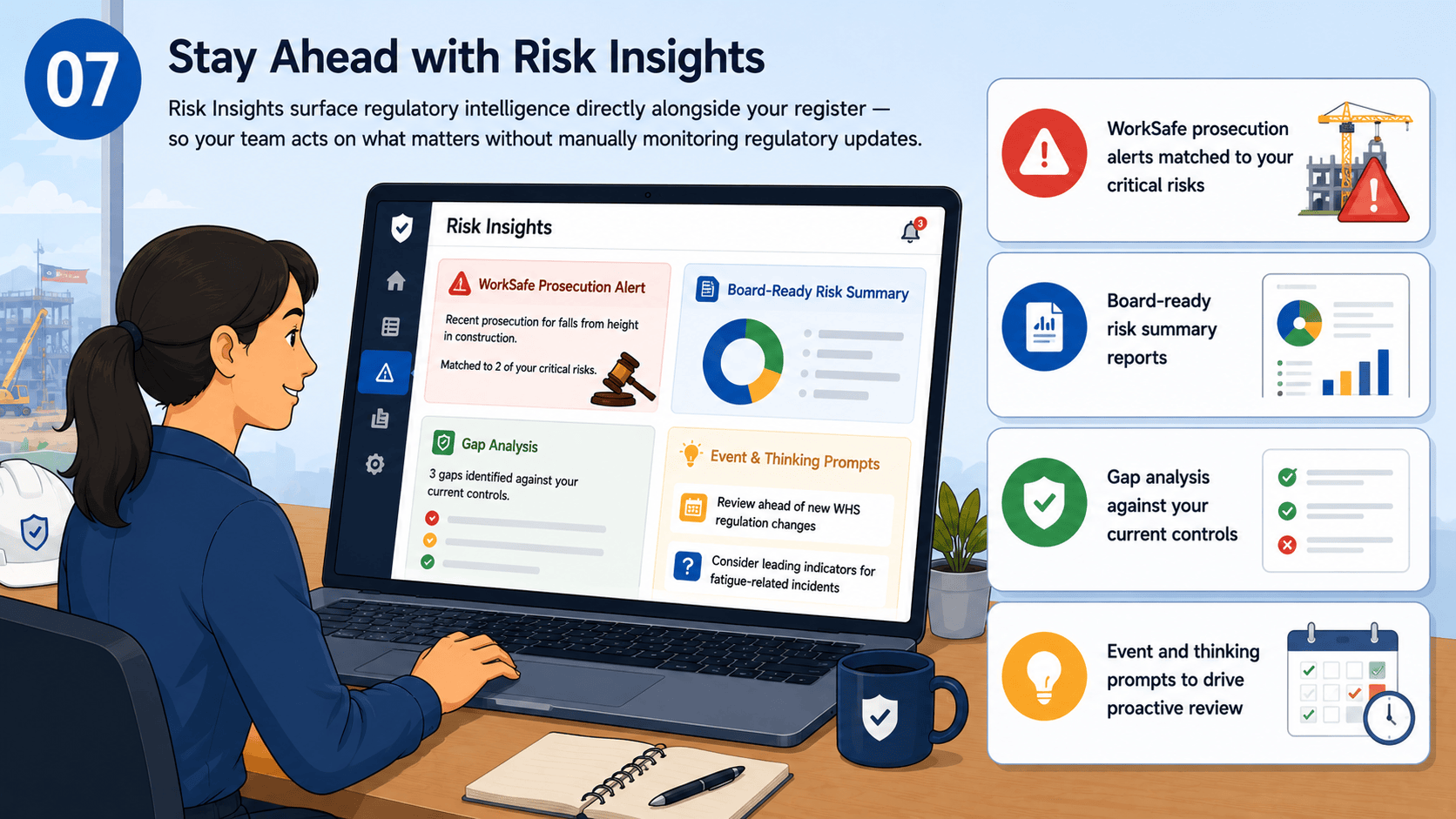
Verify Critical Risks in the Field
For organisations managing critical risks in high-risk operations, Critical Risk Verification closes the loop between register and reality. Assign competent verifiers, capture evidence on site, and track non-conformances through to closure.
- Assign verifiers to your most serious risks
- Capture field evidence and photos on site
- Record non-conformances with corrective actions
- Track verification rounds from assignment to sign-off
Sessions add-on
Turn safety conversations into durable evidence
Use one workflow for Toolbox Talks, Learning Teams, Consultations, Pre-starts, and tenant-defined Session Types. Participant devices are optional, and human approval remains required for minutes and AI proposals.
Prepare
Start with useful structure
Choose a Session Type and template, add agenda content, invite or record participants, and link the Risks, Events, Observations, or Actions that provide context.
Run
Facilitate in the room or live
Record attendance manually, or open optional live access with a QR code, URL, and short code. Present only audience-safe content and collect controlled responses.
Record
Approve and retain the evidence
Confirm attendance, complete the Session, approve versioned minutes, add dated corrections, and print a record without automatically changing linked Risks or closing Actions.